Stream facts
Duration, picture size, video codec, frame rate as ffprobe reports it, and whether there's an audio stream at all.
In development · first slice working
Reelery is an early local video preparation tool. Its first working piece is a footage preflight: point it at a recording and it writes the stream facts, a SHA-256 hash, three real sample frames and an offline review sheet — all on your machine, with your own ffmpeg.
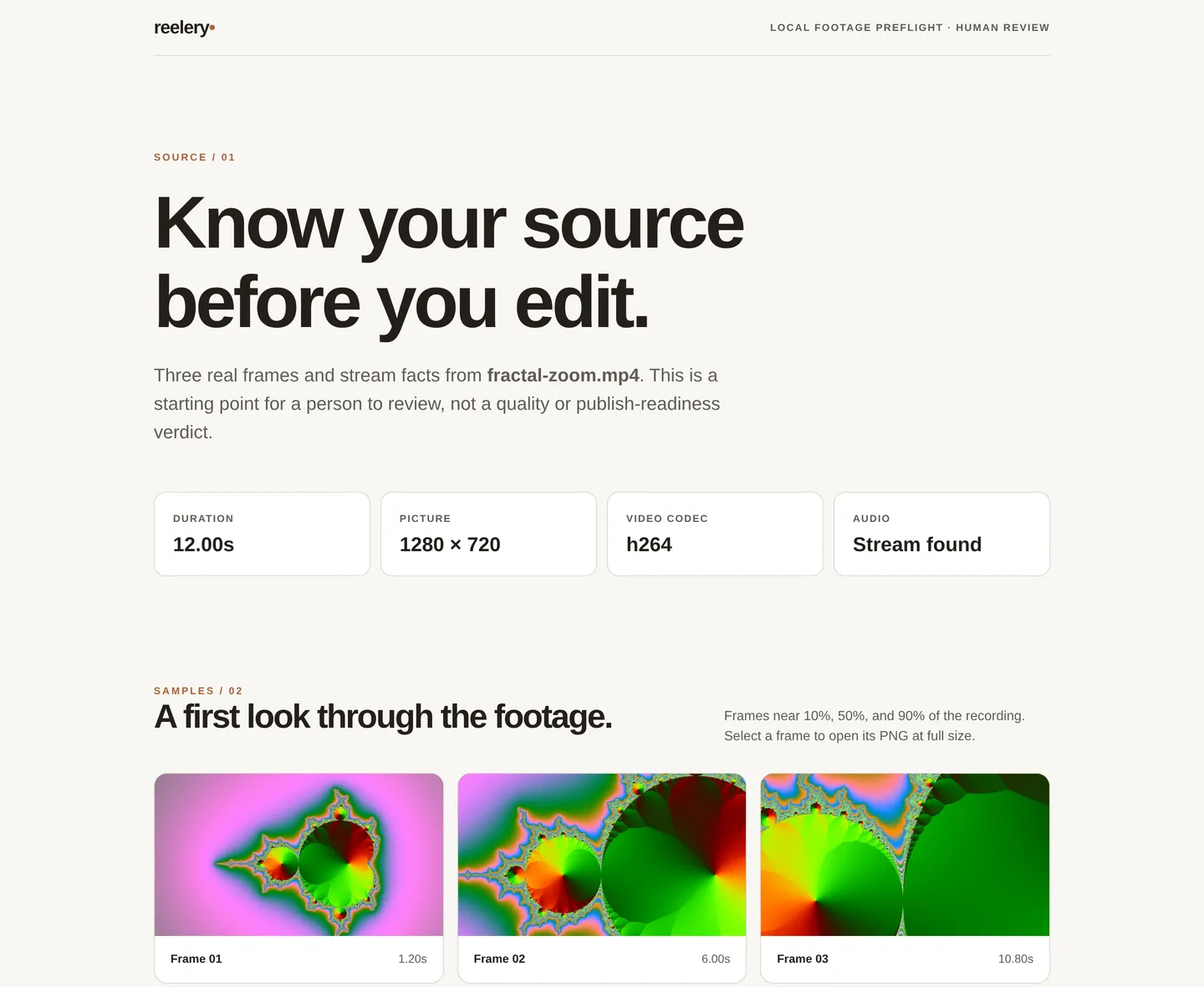
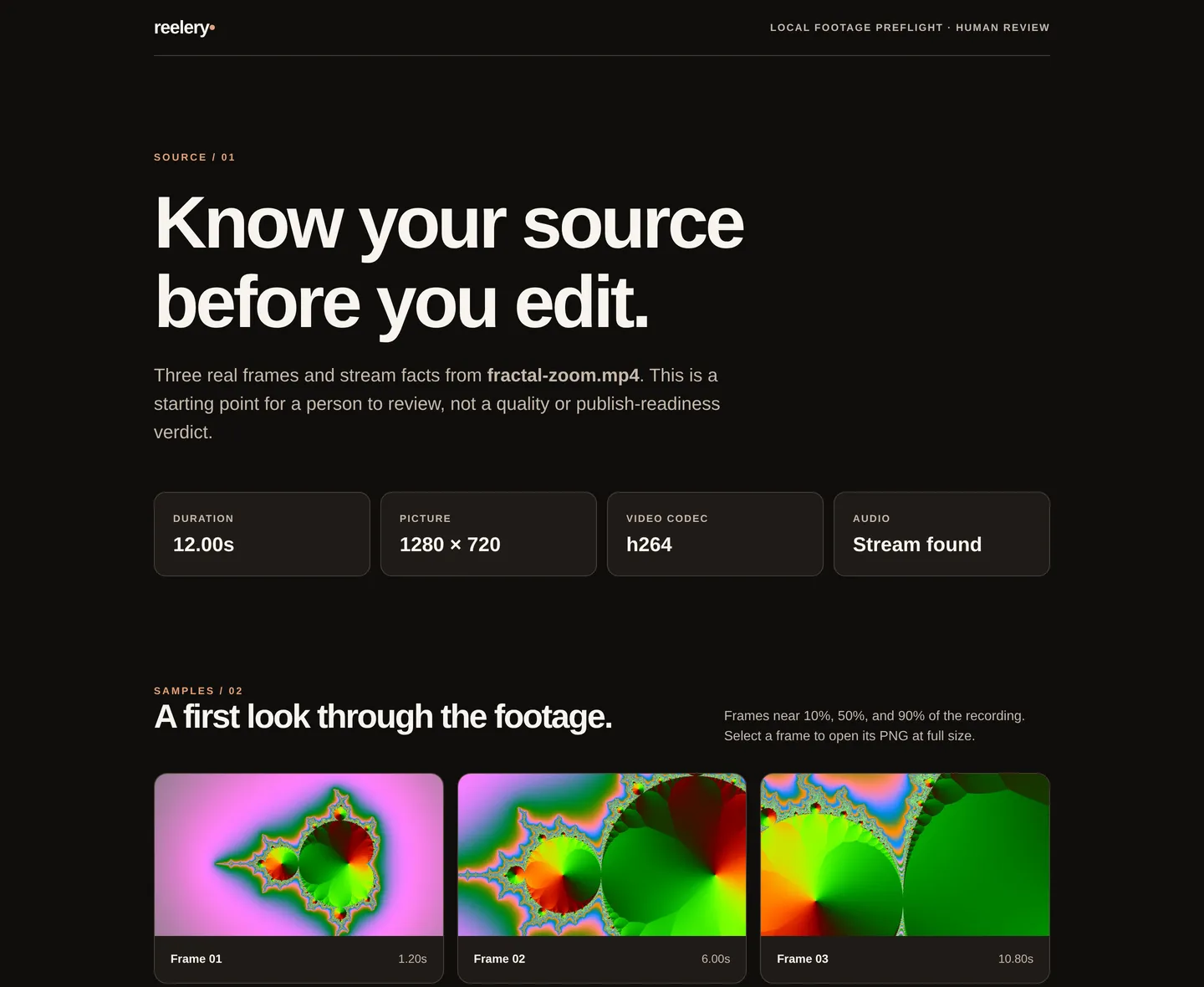
The real report.html Reelery wrote for a generated 12-second test clip. It follows your system's light or dark appearance and loads nothing from the network.
What works today
Before you cut a recording into anything, see what's actually in the file.
Duration, picture size, video codec, frame rate as ffprobe reports it, and whether there's an audio stream at all.
PNGs sampled near 10%, 50% and 90% of the recording, so a black opening or a frozen ending shows up before you build on it.
report.json records the source's path, size and SHA-256, the inspection time and the exact ffprobe and ffmpeg versions used.
A self-contained report.html puts the frames beside the facts with a checklist for the parts a machine can't judge.
The recording is only read. Reelery writes into a new or empty folder, refuses a symlink or a folder with files in it, and cleans up after itself if anything fails.
All processing runs through your installed ffmpeg and ffprobe. No upload, no account, no network request from the report.
In the terminal
A preflight, not a verdict: Reelery doesn't score quality or decide whether footage is fit to publish. Watch and listen to the whole recording yourself — and review the report before sharing it, since it contains the source's full path.
$ python -m reelery inspect ~/footage/fractal-zoom.mp4 --output ~/footage/report
/home/you/footage/report/report.json
$ ls ~/footage/report
frame-01.png  frame-02.png  frame-03.png  report.html  report.json
$ jq '{duration_seconds, video, audio_present}' ~/footage/report/report.json
{
  "duration_seconds": 12.0,
  "video": {
    "codec": "h264",
    "width": 1280,
    "height": 720,
    "frame_rate": "30/1"
  },
  "audio_present": true
}
Where it's going
The longer-term job: let a creator change a script and get a trustworthy video back without rebuilding every part that didn't change. Only the first step exists. Everything else below is an idea to validate, not a feature.
No cost, speed or quality comparison with hosted avatar platforms has been measured, so none is claimed.
Try it
There's no package to install yet: Reelery runs from a checkout, with nothing beyond the standard library.
git clone https://github.com/aylith-labs/reelery.git
cd reelery
python -m reelery inspect /path/to/recording.mp4 --output /path/to/new-report
Needs Python 3.10 or newer, with ffprobe and ffmpeg on your PATH. Open report.html in any browser.